


Page 50 - Lightroom Magazine Issue 26
P. 50
› › lightroom magazine › ›
Tip&sTricks
Smart previews have been around in Lightroom for a few years now, first appearing in Lightroom 5. With the release of Lightroom CC 2015.5 and Lightroom 6.7, a new smart preview feature has been added. In this col- umn, we’ll take a quick look at what smart previews are, and share some tips for using them.
what are smart previews?
When you import files into Lightroom, it creates a JPEG preview image. If you’re not connected to the drive where the actual images are stored, the controls in the Quick Develop panel in the Library module, or in the Develop module, are grayed out and you can’t edit the files.
A smart preview is a lossy Digital Negative File (DNG) that’s saved at a smaller pixel dimension than the original. The smart preview contains the RAW information and you can edit it just as you would an original RAW file even if the hard drive containing the actual image files isn’t con- nected to your computer (edits such as noise reduction and sharpening, where a view of the detail at 100% is critical, are best done when you can access the original RAW file). The file size of smart previews is also much smaller than original RAW files. For the photographer who travels a lot, this can be very useful.
creating smart previews on import
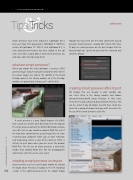
Smart previews can be created upon import by clicking the Build Smart Previews checkbox in the File Handling section in the right-hand panels on the Import dialog.
SEÁN DUGGAN
Though this may seem like the most convenient way to generate smart previews, I usually don’t check this. Since I’ll only use smart previews on the best images that I’m likely to work on, I prefer to wait until I’ve reviewed and rated the photos.
creating smart previews after import
For images that are already in your catalog, you can select them in the Library module and choose Library>Previews>Build Smart Previews. In that same menu there’s also a choice to Discard Smart Previews. This can be useful if you no longer need to have smart pre- views for a group of images and you want to reduce the file size of the smart previews cache file.
050
› › lightroom magazine › issue 26


