


Page 14 - Lightroom Magazine Issue 26
P. 14
› › lightroom magazine › ›
014
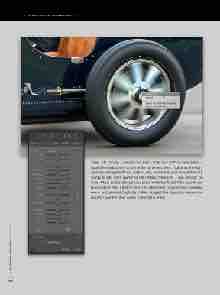
step six: Finally, I selected the Radial Filter tool (Shift-M) and added a Radial Filter adjustment to one of the car wheels. Here, I lightened the high- lights by setting the Whites slider to +62, and at the same time added +19 Clarity to add more sparkle to the metallic reflections. I also checked on Invert Mask, so the changes take place inside the Radial Filter boundaries. Having done that, I Right-clicked the adjustment to reveal the contextual menu and selected Duplicate. I then dragged the duplicate version and placed it over the other wheel, copying the effect.
› › lightroom magazine › issue 26


