


Page 74 - Photoshop User January 2017
P. 74
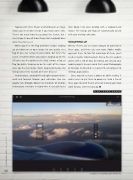
Tapping with three fingers and holding on an image shows you the before version if you made some edits. There’s not much more to say about this feature, but I can tell you it’s one of those things that everybody loves when they first see it.
When you’re in the Flag and Rate section, swiping up and down on an open image lets you quickly set a flag or give star ratings to your photo. But here’s the secret: it matters where you swipe! Swiping up on the left gives you the option to set a flag, remove a flag, or flag for delete. Swiping up on the right of the image gives you the star ratings. (Note: Swiping to change star ratings only seems to work on newer devices.)
And of course, swiping left and right navigates back- ward and forward through your collection. You can quickly run through dozens to hundreds of photos, making your selections in record time. It’s actually faster
than doing it on your desktop with a keyboard and mouse. The ratings and flags are automatically synced with your desktop collection.
WRAPPING UP
Whew! There’s just an insane amount of potential in these apps, and there are even more Adobe mobile apps out there. To take full advantage of them, you’ll need a Creative Cloud account. Even a free CC account comes with 2 GB of data for storing and syncing your mobile projects (keep in mind that a paid Photography or All Apps membership is required to send projects to desktop applications).
Since most of us have a phone or tablet nearby, it makes sense to put them to good use. Grab a few of these apps (or all of them!) and start making your tools work for you, wherever you go. ■
CLICK TO RATE
ALL IMAGES SCOTT VALENTINE EXCEPT WHERE NOTED
074
› › photoshop user › january 2017


