


Page 71 - Photoshop User January 2017
P. 71
AND MORE! GENERAL TIPS AND GOODIES
There’s so much power available in the mobile apps that there’s no way to cover everything in one article. But there are a few things I don’t want you to miss out on, so I’ve collected some of my favorite tidbits here for you to try out.
PHOTOSHOP MIX
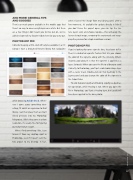
Consider keeping a little stash of textures available in a CC Library. I have a dedicated Textures library that I populate
when I license the image from my Library panel, after a few moments, it’s available for update directly in Mix (if you don’t have the project open, you can tap the tex- ture layer’s icon and choose Update—this will apply the licensed stock image, removing the watermark and swap- ping the preview for a high-resolution version).
PHOTOSHOP FIX
If you’re looking for some vignette love, head over to Fix. There’s a dedicated vignette feature that lets you choose the color of the vignette along with the intensity. What’s insanely cool about it is that the vignette is applied as a layer. Seriously! When you save the file to a library or send it directly to Photoshop, you’ll get a solid color shape layer with a raster mask. Double-click on that bad boy in the Layers panel and you change the color of the vignette in the Color Picker.
Fix also features Liquify and Healing. Liquify is a destruc- tive operation, while Healing is not. When you open the file in Photoshop, you’ll get a Healing layer, but Liquify will have been applied to the base photo.
while browsing Adobe Stock. When- ever I come across something inter- esting, I’ll add it as a preview to that library. I can then place them as smart linked previews into my Photoshop Mix project. While they come in at low resolution, it’s usually fine for figuring out what texture I want.
When I find something I like, I can license it from my desktop right in Photoshop, even if I haven’t sent the Mix project to my desktop. In fact,
071
› › kelbyone.com


