


Page 33 - Lightroom Magazine Issue 27
P. 33
› › lightroom magazine › ›
virtual copies
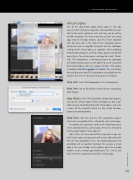
One of the cool things about virtual copies is that you can save their settings as snapshots, and snapshots are avail- able to the master photo as well, and they can be written to XMP metadata. This means that you can take any virtual copy into the Develop module, click the Create Snapshot icon (the plus sign in the right of the Snapshots panel’s header) to create a snapshot, and you’ll save the Lightroom settings of the virtual copy as a snapshot. You’re probably thinking that would be a pretty tedious process to do with more than a few virtual copies, and you’d be right. Thank- fully, TPG Snapshotter, a third-party plug-in by Lightroom user Matt Dawson, gives us the power to create snapshots of all virtual copies with just a couple of clicks. (The plug-in is available from Photographer’s Toolbox.) The instructions for installing and using TPG Snapshotter are available on the website, but here are the basic steps once it’s installed:
step one: Select All Photographs in the Catalog panel. step two: Go to File>Plug-in Extras>Create Snapshot(s)
from Images.
step three: In the TPG Snapshotter dialog that appears, turn on the Virtual Copies Only? checkbox, so that snap- shots are only made for photos with virtual copies, and enter a name for the snapshot (check the User Guide for more advanced naming options).
step four: Click OK, and the TPG Snapshotter plug-in will create a snapshot of the settings for each virtual copy. To confirm the snapshot is visible in the Snapshots panel, select a photo that has a virtual copy, then press D to go to
the Develop module. Pretty cool, eh?
Note, there isn’t any way to filter snapshots as you can
with virtual copies, but you can build a smart collection with the rule “Has Snapshots is True” to automatically gather up all photos with a snapshot. Optional: To re-create a virtual copy in the new catalog, select a photo, go to the Develop module, create a virtual copy (Command-‘ [PC: Ctrl-‘]), and then select the snapshot to rebuild the virtual copy.
033
› › kelbyone.com


