


Page 104 - Photoshop User January 2017
P. 104
REVIEWS › ›
DxO ViewPoint 3
Automatic Corrections & Tilt-Shift Effect
Review by Erik Vlietinck
DxO has a reputation for automating image editing. With DxO ViewPoint 3, you can now also automate the correction of image distortions such as perspective and horizon problems. ViewPoint 3 has one new feature as well: a tilt-shift effect (miniature effect).
I tried DxO ViewPoint 3 with a whole series of photographs. With DxO ViewPoint 2, you could easily correct for any perspec- tive and horizon problems, but you needed to do it yourself. With DxO ViewPoint 3, however, you can still do it yourself and it will be user-friendlier than before with a flatter, uncluttered look, and easier-to-use correction tools.
In addition, DxO ViewPoint 3 lets you have fully automatic corrections based on the camera-lens combination data you down- load from DxO’s servers. I was expecting the app to make a mess of those images that were really badly skewed on multiple axes; but it managed the most difficult corrections spot on. Of course, the automatic correction also takes care of the necessary cropping.
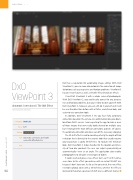
The tilt-shift effect is said to simulate perfectly the depth-of-field reduction that’s identical to the creative look that usually requires you to purchase a costly tilt-shift lens. To replicate the miniature look, DxO ViewPoint 3 shows handles for the location and inten- sity of two blur gradients the user can adjust symmetrically or asymmetrically—even at an angle. The application also enables photographers to simulate several types of bokeh.
It works well and gives a nice effect, but I can’t tell if it comes even close to the effect you achieve with an actual tilt-shift lens because I don’t have one. As far as I’m concerned, this new effect resembles photos taken with a tilt-shift lens; whether the effect is identical to that of an expensive tilt-shift lens is a different matter. ■
Company: DxOLabs
Price: $79
Rating:
Hot: Automaticcorrectionsgetitright even with difficult photos
Not:
104
› › photoshop user › january 2017


